What decides your tool is the stage your kitchen project is in, not which one produces the prettiest pictures.
Photo restyling apps work best early on, when all you know is that the kitchen feels wrong; a layout planner takes over once you need to check that the path from sink to range stays clear of an open dishwasher door.
Once the plan firms up, a cabinet supplier will want an elevation drawing before quoting a price.
1. Kitchen Cabinets and Appliances
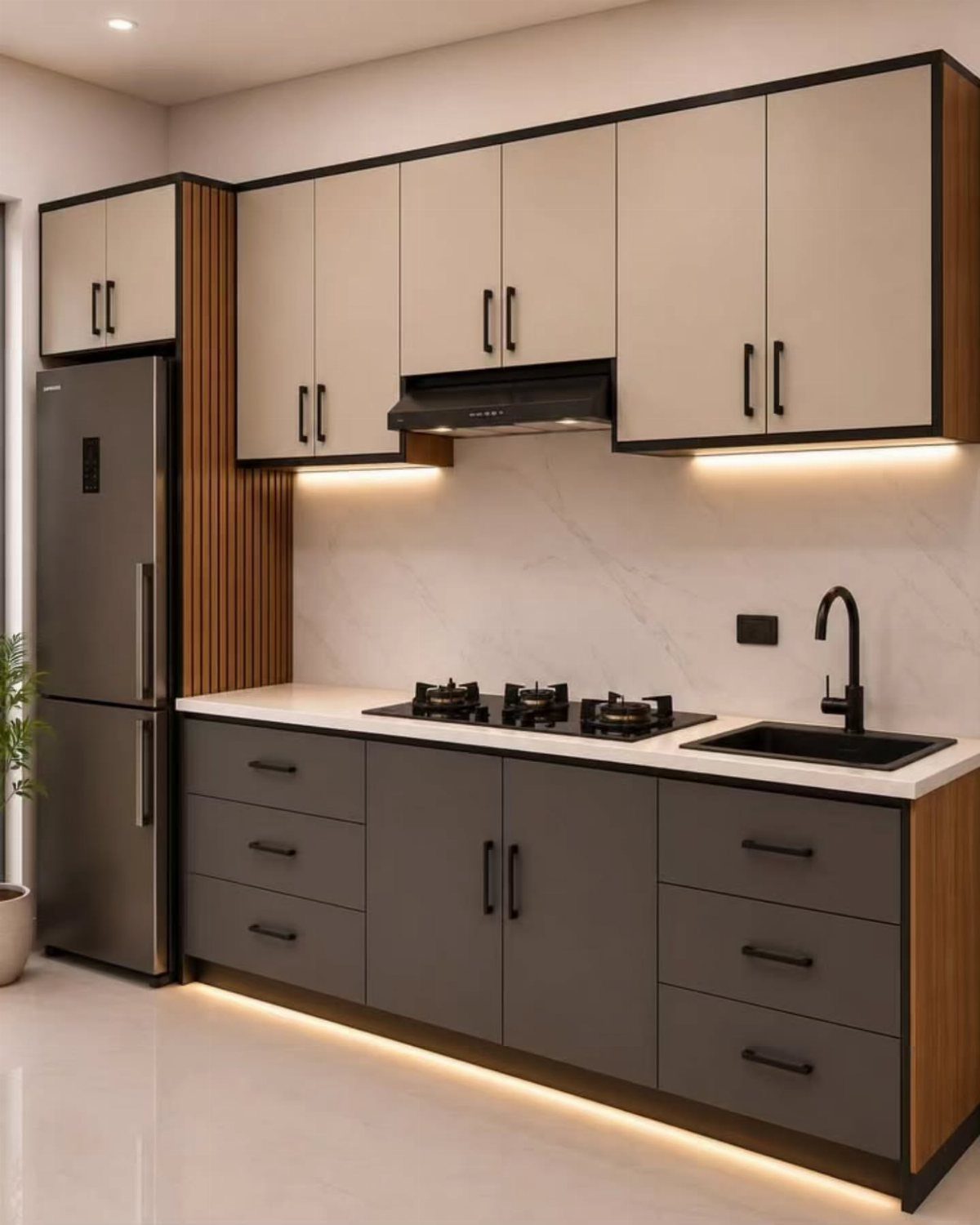
Catalog-based placement is the simplest way to start. You drag in base cabinets, uppers, a sink, a range and a refrigerator, and some tools let you change a cabinet’s width or height to match your wall.
I like testing a two-tone scheme here, like cream uppers over grey lowers, because swapping a cabinet color takes one click.
Enter your real wall measurements first. A layout that looks good at the wrong size is worthless.
2. 3D Kitchen Rendering
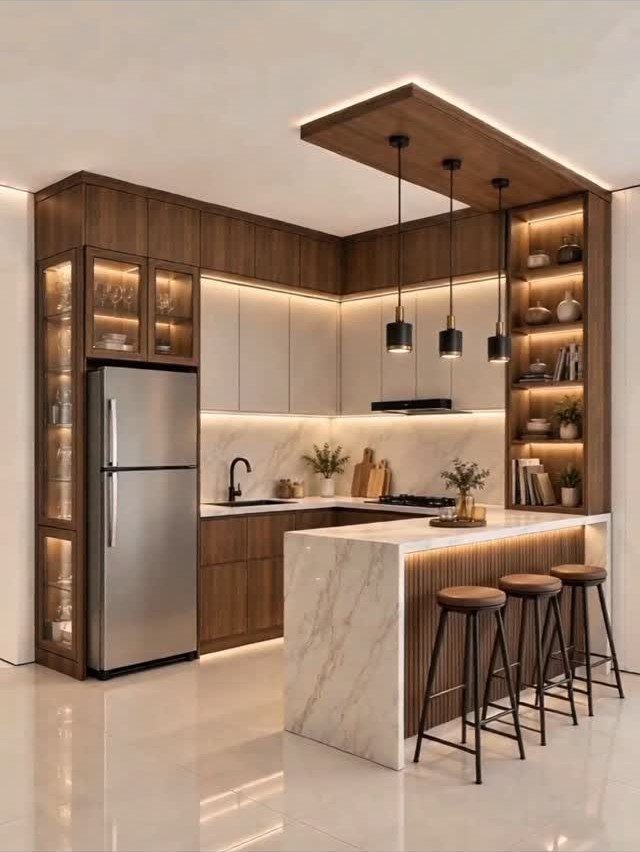
A 3D rendering turns a flat plan into a picture of the finished room, with dark wood cabinets, a marble island and stools standing in their places.
It shows problems a floor plan hides, like an island that feels crowded or a color that is too heavy.
Wait until the layout is settled before you render. Rendering a plan you may still change just gives you a nicer picture of the wrong kitchen.
3. Kitchen Style
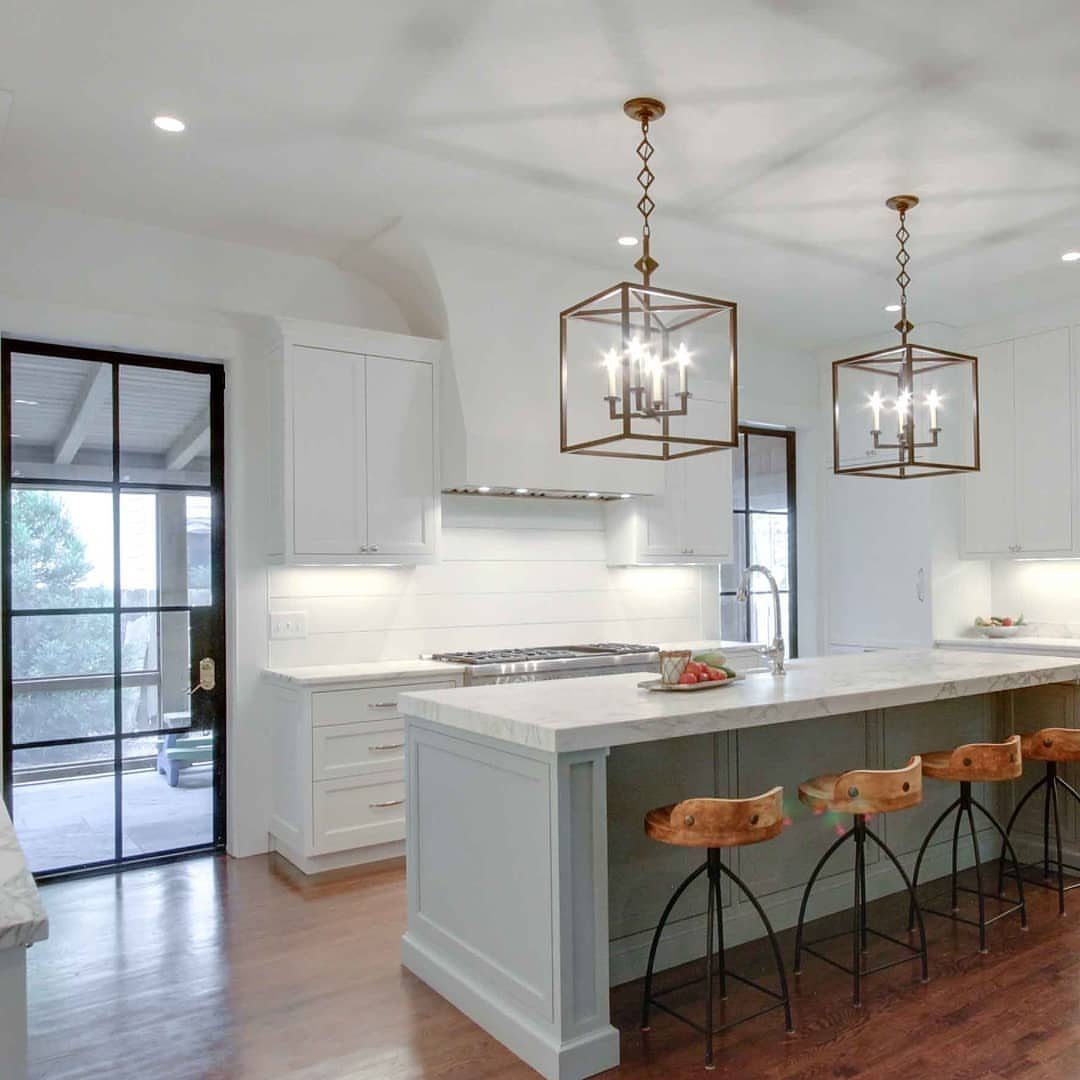
Pendant finishes and island colors are the pairings I would always test on screen before buying a single fixture, since warm gold can look very different over a cool grey island than it does on a store shelf.
Style tools let you try finishes, colors and lighting, then compare them side by side.
When you test kitchen styles in a design tool, change only one element at a time, because otherwise you can’t tell which swap made the room better or worse.
4. Kitchen Elevation Drawing
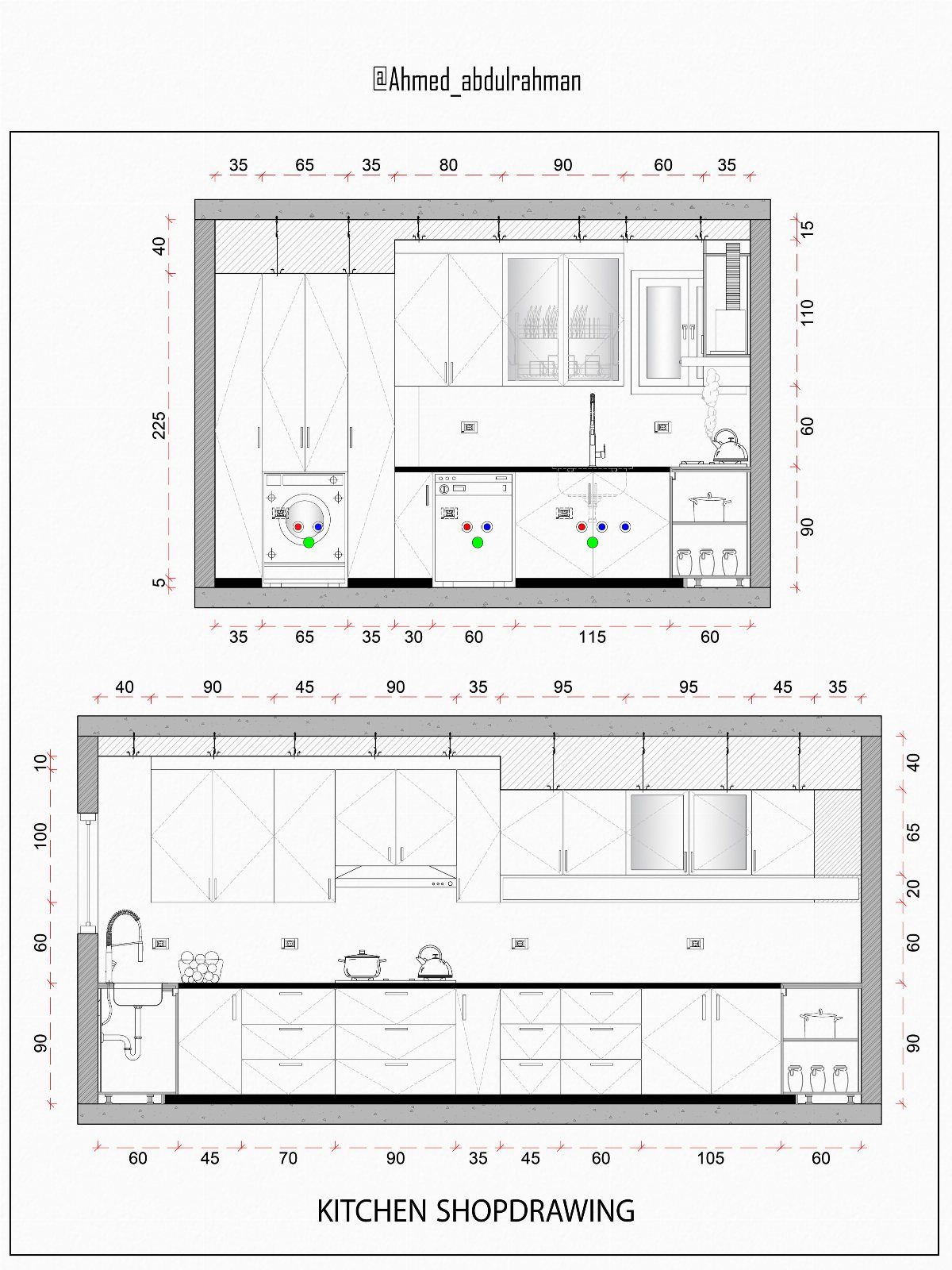
An elevation drawing shows one wall straight on, with every cabinet width, appliance and height written in. The floor plan beside it tells you where things sit; the elevation tells you how tall and wide they are.
Make one for each wall that holds cabinets.
Check that doors, drawers and the range hood don’t collide. These drawings are also what a cabinet supplier or contractor will ask you for when you request a quote.
5. Countertop and Backsplash Design
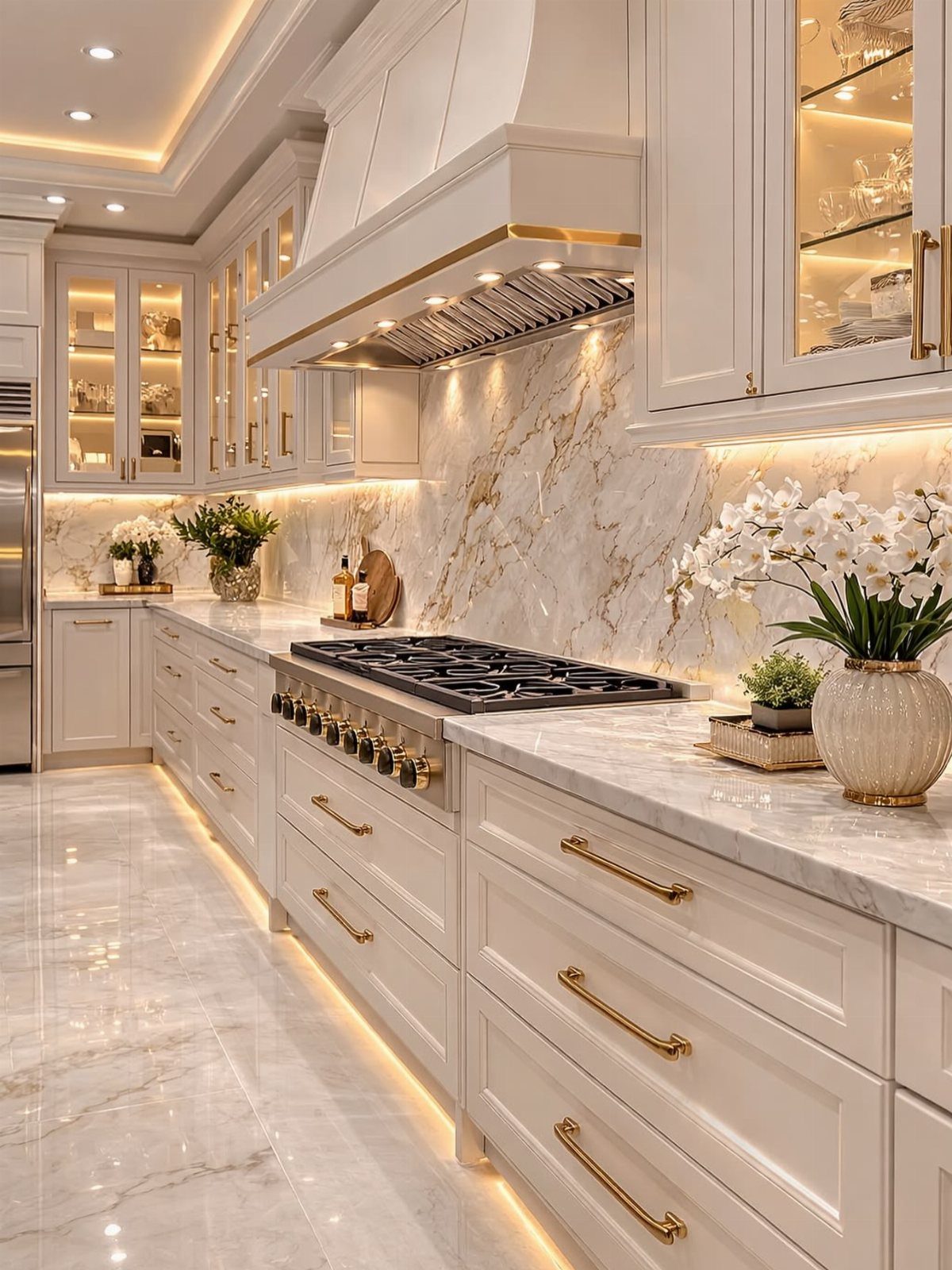
White marble counters running up into a matching marble backsplash read as one clean surface, and gold hardware adds just enough contrast. In a design tool, you can compare that against a different backsplash pattern without touching the cabinets.
Always judge the counter, backsplash and cabinets together, since each changes how the others look. Screen colors drift, so order real samples before you commit.
Measure Before Planning or Ordering
Measure the room twice, and write down more than wall lengths: ceiling height, the distance from each corner to every door and window, and where the sockets, water lines and drain sit.
Any planner works only from the measurements you enter, which means an outlet you forgot to mark or a drain that sits 4 inches off won’t appear until you’re standing in the actual kitchen.
Cabinets are sold in set widths, but most planners let you draw any width you like. Check each cabinet in your plan against sizes a maker actually sells, and change the plan to fit those sizes.
Before placing a large order, I’d email the finished plan to the retailer or a kitchen designer and have them match it against the cabinet sizes they really stock.
A second pair of eyes catches a gap or a clash you’ve stopped seeing after the fifth look.
Choose Tools by Project Stage
Match the tool to where you are in the project, because each type answers a different question.
A photo restyler shows possible looks, so it suits the stage where you only know you dislike what you have.
A layout planner tests fit and workflow: whether you can walk from the sink to the range without dodging an open dishwasher. Some are built for beginners and walk you through the job in 5 steps.
Once the layout is settled, a retailer’s planner can estimate costs from that store’s catalog. Treat the total as a number for that store’s products only.
A 3D image alone is not a buildable plan. It shows how the room might look, but it won’t tell an installer where walls, pipes and power sit.
Frequently Asked Questions
What is the 3 kitchen rule?
The usual answer is the kitchen work triangle, the walking line that links the sink, the range and the fridge. Run those distances through a layout planner first, while changing the plan still costs nothing.
Can I build my own kitchen at IKEA?
You can plan one yourself in IKEA’s free kitchen planner, which is built around IKEA’s own cabinets and components. You place the pieces in your room, view the layout in 3D and see pricing that connects to IKEA stores.
Start with the actual dimensions of your walls, since a plan drawn at the wrong size won’t fit the room you own.
Is there a free AI tool that can redesign my kitchen?
Yes, a number of free AI tools will restyle a photo of your kitchen.
Some, like VisualGPT’s, show 3D layouts with cabinets, appliances and styles, and need no sign-up or download. An AI render shows a mood, not a build plan; it knows nothing about where your walls, plumbing and outlets really are.
How do I choose the best kitchen design program?
Start with the stage you’re at.
Pick by where you’re stuck: a photo restyler when you only know you dislike the room, a layout planner when you need to test fit and workflow, and a retailer’s planner when the layout is settled and you want it priced from that store’s catalog.
Then check your skill level, the cost, which devices it runs on, and whether it handles one room or a whole house.
What is the best free kitchen design software?
No single program wins for everyone.
The right one depends on what you need it to do, how much experience you have, and what the free plan locks away. Pick by project stage (restyling, layout or pricing), then read what the free version actually includes.
Do I need professional experience to use kitchen design software?
No.
Most kitchen planners are built for beginners, with drag-and-drop screens and tutorials, and a few break the job into 5 steps. Some AI versions even build a starting plan from an uploaded room and a style you pick.
How does a kitchen planner help me plan a layout?
On screen you can check fit and workflow first, like whether the path from sink to range stays clear when the dishwasher door hangs open.
Making an elevation drawing for each cabinet wall also shows whether doors, drawers and a range hood collide.
Can I visualize different kitchen styles in a design tool?
Yes.
Change one element per round, so you know which swap made the difference. A screen never shows a color quite true, so get physical samples in hand before you commit.
Can I use kitchen layout tools on my tablet or smartphone?
Some can.
Many platforms offer mobile-friendly versions or dedicated apps, and cloud access lets you reopen a plan on another device. If that matters to you, confirm it before you settle on a tool.
Will a kitchen design tool give me an accurate cost estimate?
Only retailer planners come close, and only for their own stock.
The planners at Home Depot and Lowe’s generate a material list and price estimate from their own catalogs, a handy way to set a budget ahead of a store visit.
That total counts only what the store sells, so check it against quotes from local contractors and suppliers before placing an order.